이미지 압축
JPG · PNG · WebP. 기기 안에서 크기를 줄입니다. 서버로 나가지 않습니다.
이미지를 놓거나 클릭해서 선택
JPG · PNG · WebP · 파일당 20MB · 최대 30개
온라인에서 이미지를 압축하는 방법
- 이미지를 업로드하세요 — 파일을 드래그 앤 드롭하거나 클릭하여 JPG, PNG, WebP 파일을 선택하세요.
- 품질 수준을 선택하세요 — 40%에서 90% 사이의 압축 품질을 선택하세요.
- 압축을 클릭하세요 — 이미지가 브라우저에서 즉시 압축됩니다.
- 다운로드하세요 — 개별 파일을 저장하거나 모든 파일을 ZIP 아카이브로 다운로드하세요.
이미지를 압축해야 하는 이유
큰 이미지 파일은 웹사이트 속도를 저하시키고, 대역폭을 소모하며, SEO 순위에 악영향을 미칩니다. Google은 페이지 속도를 랭킹 팩터로 사용하며, 이미지는 종종 페이지 전체 용량의 50-80%를 차지합니다.
이미지를 압축하면 다음과 같은 효과를 얻을 수 있습니다:
- 페이지 로딩 시간을 2-5초 단축
- Google Core Web Vitals 점수 향상
- 기기 또는 클라우드 저장 공간 절약
- 호스팅 대역폭 비용 절감
- 모바일 기기에서의 사용자 경험 개선
ZXZX 압축 방식
ZXZX는 고급 압축 알고리즘을 사용하여 각 이미지를 분석하고, 사람이 눈으로 차이를 인지할 수 없는 영역의 데이터를 선택적으로 줄입니다. 단순한 리사이즈나 품질 저하와 달리, 중요 디테일은 보존하면서 중복 정보만 제거합니다.
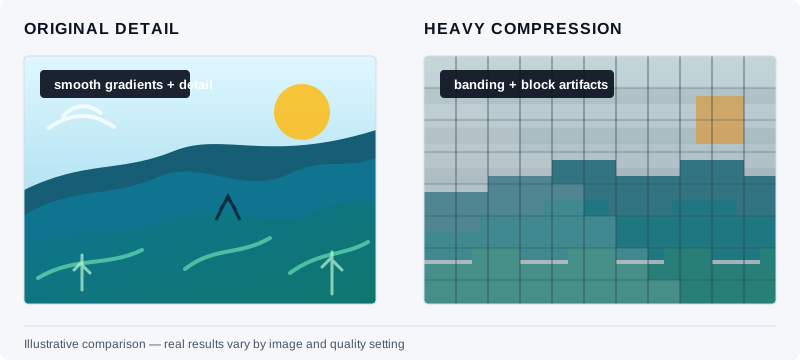
예시 도식(실측 벤치마크 아님). 왼쪽은 디테일이 살아 있는 원본에 가깝고, 오른쪽은 강한 압축으로 블록·색 번짐이 보입니다. 실제 결과는 원본과 품질 설정에 따라 달라집니다.
압축은 Canvas API와 WebAssembly를 사용하여 브라우저에서 완전히 이루어집니다. 이미지는 어떤 서버에도 업로드되지 않아, ZXZX는 가장 프라이버시 친화적인 이미지 압축 도구 중 하나입니다.
자주 묻는 질문
이미지 압축이 정말 무료인가요?
네, ZXZX는 숨겨진 비용 없이 완전히 무료입니다. 파일 크기 제한, 워터마크, 회원가입이 필요 없습니다. 이미지를 무제한으로 압축할 수 있습니다.
압축이 이미지 품질을 떨어뜨리나요?
중간 설정(80%)에서는 압축 효과가 눈으로 거의 구분할 수 없습니다. 극한 설정(40%)에서도 대부분의 이미지는 웹 사용에 적합한 품질을 유지합니다. 미리보기 도구로 압축 전후를 비교할 수 있습니다.
JPG, PNG, WebP 압축의 차이점은 무엇인가요?
JPG는 사진에 가장 적합합니다. PNG는 투명도가 있는 그래픽에 적합합니다. WebP는 두 가지 모두에서 최고의 압축률을 제공합니다. WebP로 변환하면 JPG 대비 보통 25-35% 절약됩니다.
이미지가 서버에 업로드되나요?
아니요. 모든 압축은 JavaScript를 사용하여 브라우저에서 이루어집니다. 파일이 기기를 벗어나지 않습니다. 이것이 ZXZX가 가장 안전한 이미지 도구 중 하나인 이유입니다.
스마트폰에서도 이미지를 압축할 수 있나요?
네. ZXZX는 iOS와 Android의 Chrome, Safari를 포함한 모든 최신 모바일 브라우저에서 작동합니다. 인터페이스가 완전 반응형으로 지원됩니다.